
Flyer templates free of charge are everywhere, but quality varies wildly. Some are crisp, editable files from reputable creators. Others are low-resolution images in disguise, or bundles that push you toward a paid plan halfway through. This guide helps you spot the good ones quickly and turn a free layout into something that looks deliberate.
What free usually means (flyer templates free)
Free can mean free for personal use, free with attribution, or free with a watermark you must pay to remove. Read the terms before you design. If your flyer promotes a business, make sure commercial use is allowed. When in doubt, look at our summary of copyright basics.
Free often limits export options too. Some online editors let you download a low-quality PNG but charge for a print-ready PDF. Check the export options before you invest time.
Formats to prefer
Choose editable formats: DOCX for Word, PPTX for PowerPoint, Google Docs or Slides links, PSD, AI or SVG for designers, and shareable Canva or Figma links. A flat JPG can only be covered with text boxes, which is awkward.
Look at size and resolution. A free flyer sized for A4 or Letter, at 300 DPI, will print well. A small web graphic stretched to a poster will not.
Spot a weak template
Warning signs include text that is part of the image, fonts that must be bought, pixelated edges, odd spacing that breaks when you type a longer headline, and sample photos that you have no rights to use. Test by replacing the headline with something longer and see whether the layout survives.
Make a free design look custom
Change the colours to your brand, swap the typeface for one pair of fonts you like, replace stock photos with your own and rewrite every line of copy. Crop images differently. Move a block or two. These small changes make the result feel yours.
Keep your wording specific. A flyer for a bake sale should name the date, the place and what is on offer, not talk about delicious treats for everyone.
Printing and costs
Home printers are fine for a handful. For fifty or more, a local print shop is often cheaper per page and gives a better finish. Ask for a quote on 130 gsm gloss or silk and request a proof. Save your final file as a PDF with fonts embedded.
Also think about distribution. A beautiful flyer left in a drawer helps nobody. Plan where each batch goes: shops that allow notices, community boards, school gates, letterboxes where allowed.
Keep a reusable master
Once you have a layout that works, save it as your own template with placeholders. Next month’s event takes ten minutes instead of two hours. Over time you will build a small set that carries your style across everything you hand out.
Examples and quick wins
For a school fundraiser, change the colours to the school’s, add the date in huge type and put the cause in one line. For a salon, add a price list and a booking number. For a small gym, show a weekly timetable in a tidy table.
Small habits help: align everything to a grid, use the same spacing between blocks and limit yourself to two fonts. If a template has seven text styles, simplify to three: headline, subhead and body. The result immediately looks calmer and more professional.
If you later need website pages to match your print style, reuse the same colours and fonts. A consistent look across flyer and site helps customers recognise you.
Adding a call to action
The final line of a flyer should say what to do: Call now, Book online, Visit us Saturday. Make it stand out with a button-like shape or a colour that contrasts with the background. Give a deadline if there is a real one, for instance Offer ends 30 June.
Avoid listing five different ways to respond. Pick the main method and add a secondary option in smaller type.
Checking accessibility
Use large fonts, high contrast and simple language. Many people read flyers on the move or in poor light. If your audience includes older readers, bump the body size to at least 12 points and avoid pale grey on white.
Where to find free layouts
Online editors such as Canva, Adobe Express and Google Slides offer free flyer layouts. Word and PowerPoint include some in their template galleries. Independent designers also share packs on their own sites. Compare a few before you decide, rather than taking the first result.
When you download from independent sites, scan the file with your antivirus and avoid anything asking you to install extra software. A genuine template is just a document or design file.
Safe downloading habits (flyer templates free)
Download only from sites that show a preview and a plain file link. Keep your browser and antivirus up to date. Check that the extension matches the format described. Unzip packs into a new folder and scan them before opening.
If a site demands payment details for a free download, leave. Real free templates do not need your card. Bookmark the few sources you trust, and you will save time on the next project.

Written by thadmin_r7
The Templates Hub editorial team writes practical, plain-English guides for everyday readers.
More articles by this author →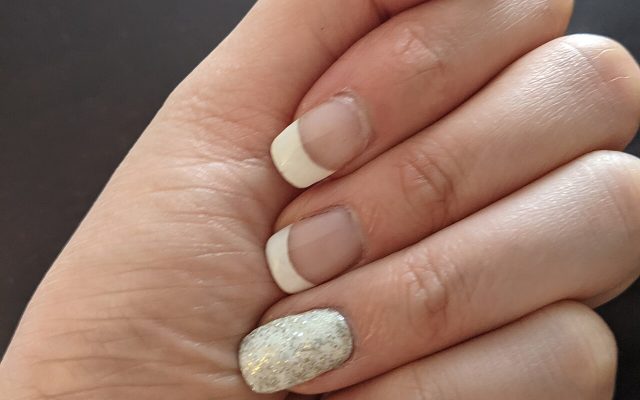
Nail Templates: Stencils, Guides and Printable Shapes Guide
If you have ever tried to paint a clean French tip freehand, you already know why nail templates…
Router Templates for Woodworking: Make Reusable Jigs
Router templates are simple guides that let a woodworker cut the same shape again and again. A well-made…
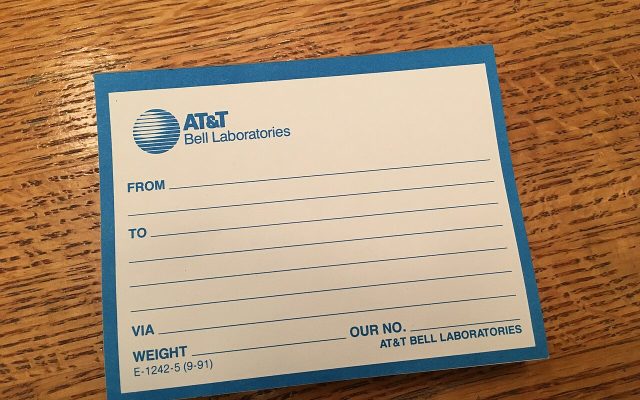
Avery.com Templates: Finding and Using Label Layouts
www.avery.com templates explained: match your product number, pick the right layout, set up the print and avoid common…
Infographic Templates: Tips to Make Data Easy to Read
Infographic templates let you present facts, steps and comparisons as pictures that people actually finish reading. Rather than…