
Free flyer templates are a lifeline for people who need a promotion by tomorrow. Whether it is a yard sale, a music night, a cleaning service or a church fair, the right layout gets you most of the way. What turns a template into an effective flyer is the content you give it and the care you take at the end. This guide walks through each step.
If you want a second set of ideas, our article on flyer templates free of charge looks at licences and file types in more detail.
Start with a plan (free flyer templates)
Define your audience, the action you want and where the flyer will be seen. A flyer handed over at a stall can carry more words than one stuck on a pole. Decide on size, and choose either A5 or Letter for most uses.
Write the details in a plain note first: what, when, where, how much, how to contact you. Fit the template around the facts instead of the other way round.
Selecting a template
Choose a layout with a bold headline, one focal image and an easy-to-find details block. Avoid templates with many small text boxes. Check that text styles are readable and that fonts are available on your machine or in the online editor.
If the sample image shows a cheerful photo of strangers, replace it with something real from your event or business. Authentic images beat generic ones.
Edit with care
Replace placeholder text completely. Keep your headline short and promise a benefit: Fresh bread every Saturday, Free beginner yoga on the lawn. Put the most important line in the biggest type. Use bullet points for lists.
Maintain at least 15 mm margins for home printing. Left-align body text; centred paragraphs are harder to read.
Colour and contrast
High contrast wins: dark on light or light on dark, not mid-tones on mid-tones. If you must place text on a photo, add a semi-transparent panel behind it. Choose two or three colours and stick to them.
Look at the flyer in grayscale. If it still reads clearly, it will work in a black-and-white photocopy as well.
Printing and handing out
Print a test copy, hold it at arm’s length and ask whether the main message can be read in three seconds. For larger batches, compare local print quotes. Ask about paper weight and finish before you order.
Distribute with purpose. Match location to audience: cafés for students, fitness centres for health offers, neighbourhood boards for local services. Always ask permission before posting.
Follow up
Add a way to track results, such as a unique discount code or a different phone extension. After the event, note how many people responded, then adjust. Keep your editable file, and next time you will need only a few minutes to update the dates.
Common slip-ups
Typos in the date or phone number are the most expensive mistakes. Another is using photos that you do not have the right to use. Stock images from a free library with a clear licence are fine; a picture lifted from a search result may not be.
Do not overcrowd the page. If you have more to say, point to a website or social page and let the flyer do the hook. And avoid a headline that does not tell people what you are offering, such as Big news coming.
Finally, keep an eye on readability from a distance. Step back two metres from your printout. If the headline and date are not clear, enlarge them.
Choosing a simple workflow
Draft the text in a notes app, pick the template, paste and trim, export a PDF, print a test and ask someone to proofread. Keep each step quick. If you manage several events a year, store the finished files in a folder named by date so you can reuse layouts easily.
You may later want a web page for the same event. Our short guide to choosing a website template can help you set one up cheaply.
Questions to ask before printing
Are all names, dates and numbers correct? Is every image licensed for use? Is the text readable at arm’s length? Does the flyer give one clear next step? Is the file at 300 DPI with the right margins?
If all answers are yes, send it to print. Otherwise fix the problem first. The cost of a reprint is always higher than the minutes spent checking.
Making it work for a small budget (free flyer templates)
A few smart choices save money: print in black and white on coloured paper, use A5 instead of A4, share the cost with a partner business, and combine flyers with a free online post. Put your effort into a clear headline and the right locations rather than expensive finishes.
Track which spots bring responses, and drop the ones that do not. A dozen well-placed flyers will beat a hundred left in a pile. Keep notes, and your next campaign will cost less and perform better.
If you have time, ask local shops whether they will keep a small stack by the till. Personal contact matters, and a friendly request often earns you a spot that paying would not. Offer to return the favour by displaying their notice, which turns a one-off ask into a lasting arrangement.

Written by thadmin_r7
The Templates Hub editorial team writes practical, plain-English guides for everyday readers.
More articles by this author →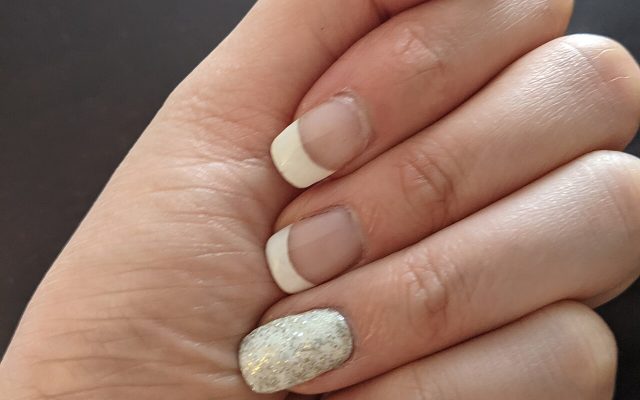
Nail Templates: Stencils, Guides and Printable Shapes Guide
If you have ever tried to paint a clean French tip freehand, you already know why nail templates…
Router Templates for Woodworking: Make Reusable Jigs
Router templates are simple guides that let a woodworker cut the same shape again and again. A well-made…
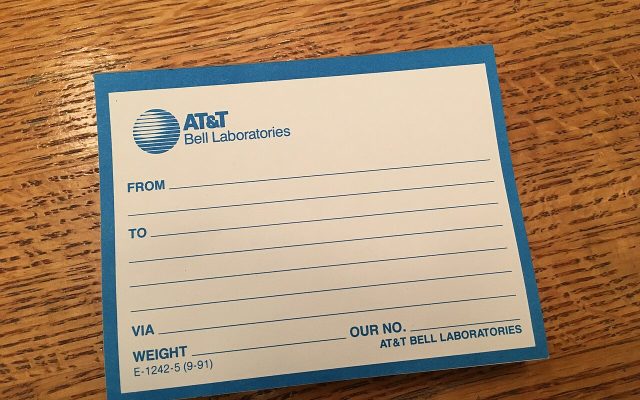
Avery.com Templates: Finding and Using Label Layouts
www.avery.com templates explained: match your product number, pick the right layout, set up the print and avoid common…
Infographic Templates: Tips to Make Data Easy to Read
Infographic templates let you present facts, steps and comparisons as pictures that people actually finish reading. Rather than…