
In a busy clinic, documentation competes with the patient for attention. Point of care medicine templates are structured note formats that a clinician fills in during or immediately after a consultation, rather than hours later from memory. Done well, they speed up charting, improve consistency and make sure important questions are not forgotten. Done badly, they fill records with copied text that says nothing about the actual patient. This guide explains what these templates are, where they help and what to watch for.
This article is general information for people who design or use clinical documentation. It is not medical advice, and local policy and professional rules always take priority.
What does “point of care” mean?
“Point of care” refers to the moment and place where care is delivered: the exam room, the bedside, the ward round or the home visit. Point of care documentation is recorded at that moment, often on a tablet or a computer in the room. Point of care testing, such as a rapid glucose check or a bedside ultrasound, uses the same idea: act and record where the patient is.
Common types of point of care templates
Visit note templates
The familiar SOAP structure (subjective, objective, assessment, plan) is the backbone of many primary care notes. A good template adds prompts for the reason for visit, relevant history, examination findings and agreed follow-up.
Condition-specific templates
For frequent presentations such as chest pain, low back pain or diabetes review, templates list the questions and checks that guidelines suggest. They help new clinicians and keep care consistent across a team.
Procedure templates
For minor procedures, a template can record consent, site, technique, materials used and aftercare advice. A checklist format also supports safety.
Point of care ultrasound and test templates
Structured reports for bedside imaging or rapid tests record the indication, findings and limitations in a standard order, which makes later review easier.
Patient handout templates
Plain-language sheets for common conditions help patients remember what was said. They should be written at a reading level most people can follow.
Benefits of well-built templates
- Time saved. Pre-filled sections and quick pick lists reduce typing.
- Completeness. Prompts remind the clinician to ask about allergies, medicines or red-flag symptoms.
- Consistency. Colleagues can find information in the same place every time.
- Data for quality work. Structured fields can feed audits and reports.
The risks: cloned notes and alert fatigue
Template overuse can backfire. If a note is created by clicking through default text, the record may state that an examination was normal when it was never carried out. Reviewers have raised “copy and paste” documentation as a patient safety and compliance risk. Too many pop-up prompts also cause clinicians to ignore warnings. Keep templates focused: include only what is needed, and leave free-text space for the story that makes each patient different.
Designing a good clinical template
- Involve the people who will use it. A template written by a committee and never tested in a clinic tends to be abandoned.
- Base it on current guidance. Link prompts to recognised guidelines, and review them on a schedule.
- Keep defaults neutral. Avoid pre-filled normal findings that could be accepted without checking.
- Use plain headings. Short, familiar labels are faster to scan.
- Pilot and revise. Try it with a few clinicians for a month and collect feedback.
Privacy and legal considerations
Clinical documents contain sensitive personal information. Store templates and completed notes only in approved systems, and never in personal email or consumer apps. In the United States, the HIPAA rules from the Department of Health and Human Services set out how protected health information must be handled; other countries have their own laws. If you are setting up a clinic, take advice from a qualified compliance professional.
The wider question of consent and records is covered at a general level in our article on what a contract is and how to read one, though healthcare forms need professional legal review.
Templates for students and trainees
Medical students often use templates to practise structured history taking. A page with headings for presenting complaint, history, examination and impression helps them build habits that will carry into practice. Seniors reviewing these notes can give feedback on reasoning, not just spelling.
Keeping it practical
Whatever setting you work in, treat templates as aids to thinking, not substitutes for it. Review them regularly, remove fields nobody uses and check that notes still reflect the real encounter. If you notice that you rarely edit the text a template gives you, it is probably time to rewrite it.
In closing
Point of care medicine templates can make documentation faster and safer when they are designed with care, kept short and used honestly. Combine them with clear policies on privacy and cloning, and they will support better care rather than just faster paperwork.
Questions to ask before adopting a template
Before rolling a template out across a team, check who owns it and who will update it when guidance changes. Ask whether it works on the devices clinicians really use, whether the language matches local practice and whether it can be exported if you change record systems. Finally, run a short audit a few months after launch: pick a handful of notes and see whether they tell a clear, accurate story of each visit.
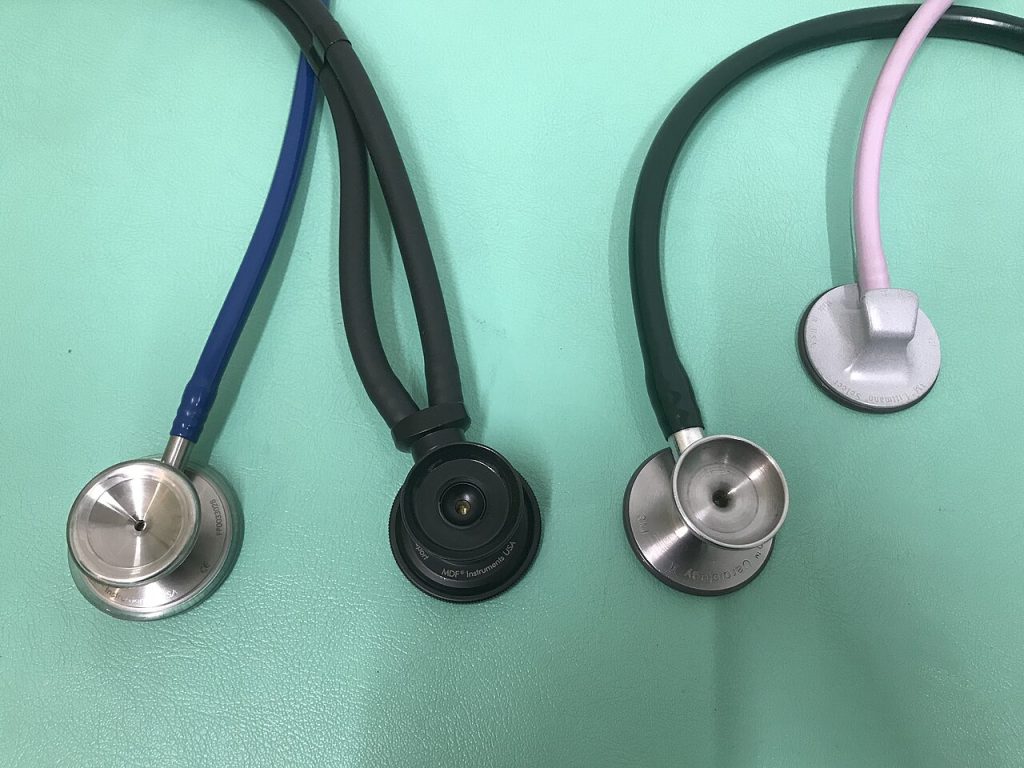
Image: “Stethoscope-ja-2019” via Wikimedia Commons, CC BY-SA 4.0.

Written by
The Templates Hub editorial team writes practical, plain-English guides for everyday readers.
More articles by this author →
One Pager Templates: Layouts and Tips for a Clear Summary
Busy people rarely read long documents, which is why a single page can carry more weight than twenty.…

Google Drive Templates: Organise and Reuse Your Files
Most people treat Drive like a junk drawer where files go to be lost. A cleaner approach is…
Microsoft Word Templates: Find, Edit and Build Your Own
Word has been the default tool for letters, reports and CVs for decades, and Microsoft Word templates are…

Microsoft Templates for Word, Excel and PowerPoint Explained
People searching for Microsoft templates usually want one thing: a ready-made file that saves them an hour. The…