

Lesson plan templates give teachers a reliable structure for deciding what to teach, how to teach it and how to check that students learned. They do not replace professional judgment, but they take away the blank-page problem and make it easier to share plans with colleagues or a substitute.
Lesson plan templates: parts of a strong plan
Whatever the age group, most plans include:
- Class, subject, date and length of the lesson.
- Learning objectives: what students will be able to do.
- Standards or curriculum links.
- Materials and preparation.
- A starter or hook.
- Main activities with timings.
- Differentiation: support and extension.
- Assessment: how you will check understanding.
- Closing activity and homework.
- Reflection: what worked, what to change.
You can trim this list for short lessons. The objective and the assessment are the two parts you should never skip.
Writing objectives that guide
Start with a verb students can show: explain, compare, solve, label, write. “Students will compare two fractions and explain which is larger” is clearer than “Students will understand fractions”. When the objective is measurable, the assessment almost writes itself.
Choose the right format
Daily plans
Detailed and time-stamped. Good for new teachers and complicated lessons.
Weekly plans
A grid with a row per day. Useful for planning ahead and sharing with a team or the head of department.
Unit plans
Show the big picture: goals, sequence of lessons, assessments and resources. Weekly and daily plans hang from it.
Build in variety
Break the lesson into chunks of ten to fifteen minutes with a change of activity: teacher talk, pair work, practice, discussion. Plan transitions, because lost minutes happen between tasks. Have a spare activity ready for early finishers and a shorter route if time runs out.
Differentiating the lesson
Note how you will help students who struggle, for example sentence frames, visuals or small groups. Also list a challenge for those who finish early. Writing it down ensures it actually happens.
Use supporting materials
Slides for the intro can come from Google Slides templates. For science classes, add a laboratory worksheet. Track attendance, marks and task completion in a sheet from Google spreadsheet templates, and send notes home using letter templates.
Reflect and improve
After the lesson, spend two minutes noting what went well, which question confused students and what you would change. Over a year these notes become your best resource. Keep a folder of plans that worked and update it each term.
Common mistakes
- Planning too many activities.
- No time for assessment.
- Objectives that cannot be measured.
- Forgetting materials until the morning of the lesson.
A sample 45-minute outline
Minutes 0 to 5: starter question on the board. 5 to 15: short explanation with an example. 15 to 30: students practise in pairs while you circulate. 30 to 40: share answers and correct misconceptions. 40 to 45: exit ticket with two questions. Writing the times down keeps the lesson moving and shows what to cut if something runs long.
Working with a co-teacher or substitute
Add a short note at the top with seating notes, student needs and where materials are kept. A substitute who can read the plan quickly will teach it better. Shared plans also support colleagues covering a class when you are away.
Assessment ideas to build into the plan
Quick checks include thumbs up or down, mini whiteboards, exit tickets and one-minute reflections. For deeper understanding, ask students to explain a concept to a partner. Choose one method per lesson and note what the results tell you about the next lesson.
Linking plans to standards
Record the curriculum standard each lesson addresses. This helps with reporting, makes gaps visible and lets you reuse plans next year with confidence. A short code in a column is enough; the point is that you can search by standard later.
Using technology wisely
Digital plans are easy to copy and adapt, but a printed copy on the desk is handy during the lesson. Use whichever you will actually look at. If you work with others, shared documents with comments let colleagues suggest improvements without changing your original.
Parent communication
A short weekly summary of what students are learning helps families support learning at home. Pull it straight from your plan, add a line on homework and send it by email or a class app. Good communication reduces confusion and builds trust.
Planning for the unexpected
Fire drills, short days and technology failures happen. Keep a no-tech version of your key activities and a five-minute review game in your back pocket. Flexible plans reduce stress and keep learning going when the schedule changes.
Frequently asked questions
How detailed should a lesson plan be?
Detailed enough that another teacher could follow it, but not so long that you never use it.
Should I use a plan for every lesson?
At least a short outline. Full plans are most helpful for new topics.
Where do I store plans?
A shared drive with folders by subject and term works well.

Written by thadmin_r7
The Templates Hub editorial team writes practical, plain-English guides for everyday readers.
More articles by this author →
Point of Care Medicine Templates: Types, Benefits and Risks
In a busy clinic, documentation competes with the patient for attention. Point of care medicine templates are structured…
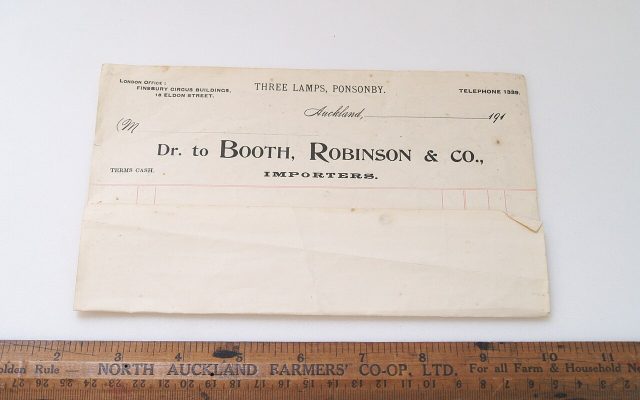
One Pager Templates: Layouts and Tips for a Clear Summary
Busy people rarely read long documents, which is why a single page can carry more weight than twenty.…
Google Drive Templates: Organise and Reuse Your Files
Most people treat Drive like a junk drawer where files go to be lost. A cleaner approach is…
Microsoft Word Templates: Find, Edit and Build Your Own
Word has been the default tool for letters, reports and CVs for decades, and Microsoft Word templates are…