

Planning a wedding means making hundreds of small decisions, and stationery is one of the places where consistency pays off. A single invitation is lovely, but guests meet your wedding through a series of printed and digital pieces, from the first save-the-date to the last thank-you. Wedding invitations templates that come as a matching suite let you keep the whole story coherent without hiring a designer for each card.
What belongs in a suite
Not every wedding needs everything, so pick what suits your plans.
- Save-the-date, sent early so guests can arrange travel.
- The main invitation with ceremony and reception details.
- A reply card or a link to an online response page.
- A details card for accommodation, transport and schedule.
- Day-of items such as programmes, menus, signs and place cards.
- Thank-you cards after the event.
Create a visual system
A suite works because a few decisions repeat. Choose two fonts and use them everywhere, one for headings and one for details. Pick a palette of two or three colours. Decide on a motif, such as a leaf, a simple monogram or a line pattern, and reuse it in the same position. Once you have these, new pieces almost design themselves.
Match the tone to the guests
A formal black-tie dinner calls for restrained type, generous white space and traditional wording. A garden party can handle more colour and friendlier language. Think about what your guests will expect, and use the stationery to signal the mood. Dress code lines on the details card are especially helpful.
Save-the-date notes
These are short: names, the date, the city and a note that a formal invitation will follow. If you have a wedding website, add it. They are best sent several months ahead, longer for destination events. Keep the design simple, since the invitation is the main event.
The reply system
Make responding easy. If you use paper, provide a stamped envelope or a clear return address. If you use a website, include a short link and a QR code that opens it. Ask about dietary needs and plus-ones only if you need to. Give a firm reply date, ideally a few weeks before the event so you can finalise numbers.
Details card tips
Guests appreciate clarity. Include the venue address, parking or transport arrangements, a suggested hotel block and any timing notes, such as when doors open. A short line about weather or footwear for outdoor venues can be kind. Keep the text short, in bullets or small paragraphs.
Production choices
Print quality depends on paper, ink and finishing. Digital printing is flexible for short runs. Letterpress and foil add texture and cost more. Order samples before committing. If you will print at home, use heavier paper and check that your printer handles the thickness. Always print one test copy and inspect margins, colours and cut lines. Our guide to sticker templates has useful notes about bleed and safe areas that apply to cards too.
Budget awareness
Stationery costs add up. Decide how many pieces you truly need, count guests by household rather than by person, and order a few extras for mistakes and keepsakes. Digital versions for some parts of the suite save money, and they are friendly to the environment. Our post on how to price your services may also help if you are a designer offering suites to clients.
Editing in practice
Many people edit templates in word or slide software. Keep text boxes aligned using guides, lock decorative layers and save a PDF for printing. If you want advice on editing in common tools, see word templates and templates for Google Slides. For the core invitation, read the companion post on wedding invitation templates.
Final checks
- Names spelled correctly everywhere.
- Dates and times consistent across all pieces.
- Fonts and colours matching.
- Reply deadline realistic.
- A printed proof signed off by someone else.
Keeping the suite flexible
Prepare your design files so that names, dates and addresses live in clearly labelled text boxes. When plans change, such as a venue update, you can edit one file and export new versions of each piece quickly. Name your files with version numbers, and keep a folder for approved proofs. This makes reprints less stressful and stops outdated versions from being sent by mistake.
Digital extras
A short wedding website can hold everything that does not fit on paper: maps, gift information, schedules and photos. Put its address on the details card and keep the site updated as plans firm up. Test every link before you send the invitations, and keep passwords simple if you use a private page.
Wrap-up
A matching suite is simpler than it sounds: choose a small visual system, repeat it and keep the information clear. Start early, proof carefully and enjoy the process. For historical context on invitation etiquette, see etiquette on Wikipedia.

Written by thadmin_r7
The Templates Hub editorial team writes practical, plain-English guides for everyday readers.
More articles by this author →
Save the Date Templates: Wording, Timing and Design
Save the date templates exist for one simple reason: guests need to block out a day long before…

Free Online Invitation Templates: Edit, Share, and RSVP
There is a particular convenience in making an invitation without installing anything. You open a page, choose a…

Invitation Templates for Weddings, Parties and Events
Invitation templates give you a polished layout for weddings, birthdays, baby showers and work events without hiring a…
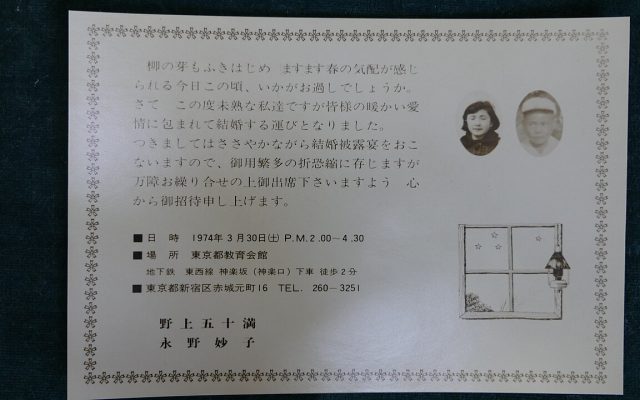
Wedding Invitation Templates: Wording, Layout and Printing
Wedding invitation templates with tips on wording, layout, paper, print or digital delivery, timing and the details every…