
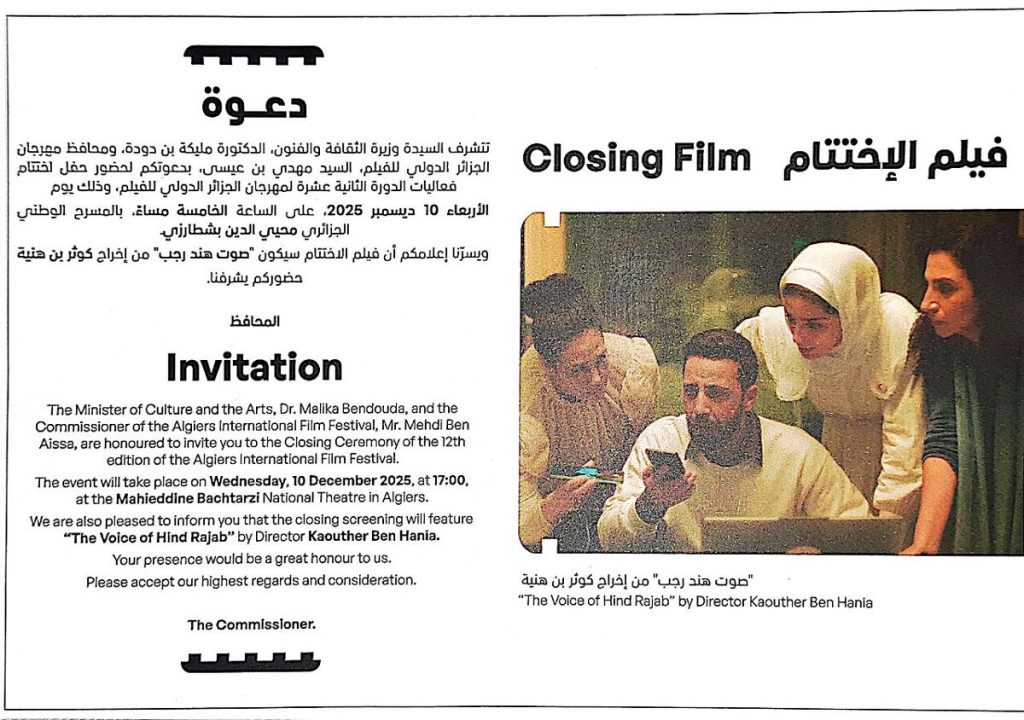
A good invitation does a small job very well: it tells people what, when, where and how to reply, and it sets the mood in a glance. Free invitation templates give you the design part for nothing, but the checking is still up to you. A lovely card with the wrong date is worse than a plain one with the right date. This article is a working checklist, section by section, that you can follow from picking a design to the moment the cards leave the printer.
Checklist 1: Choose among free invitation templates by event
Start with the occasion, not the pattern. A child’s birthday, a baby shower, a graduation party and a business open house each call for a different tone.
- Formal events such as weddings and anniversaries suit serif fonts, restrained colour and plenty of white space.
- Casual parties can handle bright colours, hand-drawn elements and playful lettering.
- Corporate events need a clear hierarchy and room for a logo.
- Seasonal gatherings benefit from simple motifs that do not date the card.
If you are unsure, pick the quieter option. It is easier to add personality through paper and envelope choice than to rescue a loud design.
Checklist 2: Confirm the file format
Free templates come in a few common formats, and each has a use.
- .docx: Opens in Word and Google Docs. Easy to edit, but fonts can shift if you lack them.
- .pptx: Works in PowerPoint and Google Slides. Good for text and shapes, and surprisingly handy for custom sizes.
- PDF: Best for printing, but often limited for editing unless it has fillable fields.
- PNG or JPG: Fine for sharing on a phone, not great for changing text.
- Online editor link: Edit in a browser and export when finished.
Pick the format that matches your plan. If you intend to print at a shop, make sure you can export a PDF at the end.
Checklist 3: Check the size
Size decides cost and fit. Common choices include 5 x 7 inches, 4 x 6 inches and A5 or A6 in countries that use ISO paper. Most free invitation templates use common card sizes, so choose one that fits standard envelopes, because odd dimensions require special envelopes and can cost more to post. Confirm the template page size in your editor before changing any text. Resizing later usually distorts spacing.
Checklist 4: Write the wording
Keep the information in this order so guests can scan it:
1. Who is hosting or who is being honoured. 2. The type of event. 3. Date and day of the week. 4. Start time, and end time if it matters. 5. Full address, with a short note if parking is awkward. 6. How to reply, with a name, a phone number or an email address, and a reply-by date.
Add extras only if they help: dress code, gift notes, dietary information. Read the whole text aloud and then ask somebody else to check the date against a calendar. Mistaken weekdays are the most common error.
Checklist 5: Customise without breaking the layout
Replace text inside the existing boxes. Keep line lengths short, as a long paragraph on a small card looks cramped. Limit yourself to two fonts. If you change the colour scheme, test that text remains readable against the background, especially for pale pastel designs. If you add a photograph, use a high-resolution image; a blurry picture on screen becomes obviously blurry on paper.
Checklist 6: Check the licence on free invitation templates
Free to download does not mean free for every use. Look for statements about personal use, commercial use and credit lines. A birthday invitation for your family is typically a personal use. A ticketed event or a business promotion may count as commercial, and the rules can differ. The Creative Commons page at Creative Commons licence overview explains the usual terms if the template uses one of those licences. Also check that any fonts or images inside the file are covered.
Checklist 7: Prepare for printing
- Export a PDF and view it at 100 percent zoom.
- Look at the margins. Keep important text at least 5 mm (about a quarter of an inch) away from the edge.
- If the design has colour or photos running to the edge, ask the printer about bleed, usually about 3 mm beyond the trim line.
- Print a single test copy on a home printer to spot typos and colour surprises.
- Choose a paper weight that feels sturdy; a heavier stock feels more like a proper invitation than ordinary office paper.
- Colours on screen use RGB, while printers use CMYK, so slightly duller results are normal, especially with neon shades.
Checklist 8: Mistakes worth avoiding
- Sending without a reply-by date.
- Forgetting the year on a save-the-date.
- Leaving template placeholder text, such as “Your Name Here”, in a corner.
- Using a low-resolution image.
- Packing too many details; extra information can go on a website or a follow-up message.
- Ignoring accessibility. Choose readable type sizes, strong contrast and avoid script fonts for key details like addresses.
Checklist 9: Share digitally too
Many people will see the invitation on a phone. Export a PNG or a compressed PDF under a few megabytes so it opens quickly in a messaging app. Add the key details in the message text as well, so the address is easy to copy.
One last pass
Before you hit print, read the final proof from top to bottom, check names for spelling, and confirm the date, time and address one more time. Ask a second person to do the same. Keep a digital copy of the final file so you can reprint if guests are added.
Free invitation templates are a generous starting point, and a short checklist like this one turns them into something polished, accurate and ready to hand out.
More guides you may like
Image credit: Dzairium via Wikimedia Commons (CC BY-SA 4.0).

Written by
The Templates Hub editorial team writes practical, plain-English guides for everyday readers.
More articles by this author →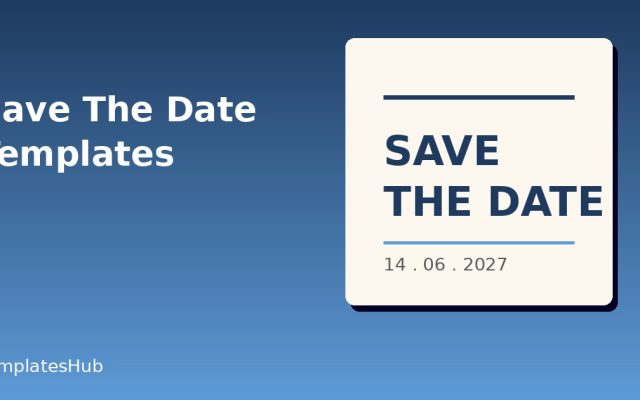
Save the Date Templates: Wording, Timing and Design
Save the date templates exist for one simple reason: guests need to block out a day long before…

Free Online Invitation Templates: Edit, Share, and RSVP
There is a particular convenience in making an invitation without installing anything. You open a page, choose a…
Invitation Templates for Weddings, Parties and Events
Invitation templates give you a polished layout for weddings, birthdays, baby showers and work events without hiring a…

Wedding Invitations Templates: Building a Matching Suite
Wedding invitations templates for a full matching set: save-the-dates, invites, RSVP cards and thank-you notes with one colour,…