
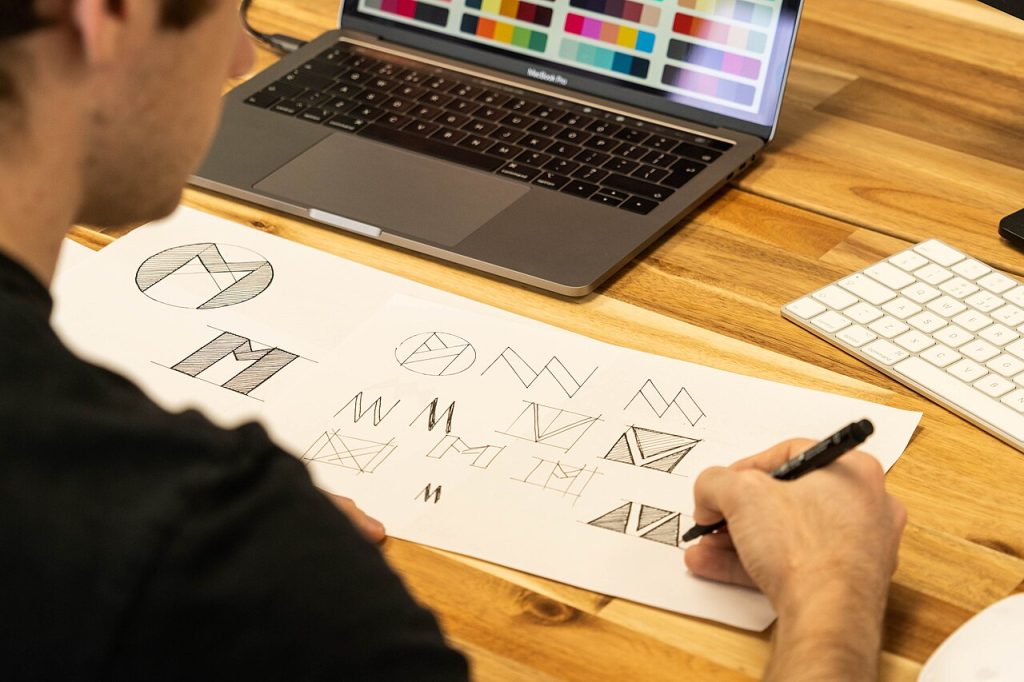
Logo templates are partly finished designs you can adapt with your own name, colours and symbols. For a new business on a tight budget, they offer a quick way to get a presentable mark. The risk is looking like everybody else, so the aim is to use the template as a base and make real changes.
What logo templates should deliver
A logo should be recognizable, readable at small sizes and appropriate for the business. It does not need to explain everything you do. Think of simple shapes, a clear wordmark and a limited palette. Test it as a tiny social icon and on a large banner; if it works in both, it is flexible enough.
Types of logos
- Wordmarks: just the name in stylish lettering.
- Lettermarks: initials in a shape.
- Symbols: an icon without text.
- Combination marks: icon plus name, the most common for small firms.
- Emblems: text inside a badge or seal.
Choose a type that fits your name. Long names suit wordmarks; short ones suit icons.
How to select a template
Pick one that matches your industry’s feel but leaves room for personality. Check that the template provides vector files such as SVG or AI, so that you can scale without blur. Make sure the fonts are licensed for commercial use. Read the licence on exclusivity: some stock templates are sold to many buyers.
Edit it until it is yours
- Replace the name and tagline with your own.
- Change the colours to your palette.
- Swap the font for one that suits your tone.
- Redraw or replace the icon with something specific to you.
- Adjust spacing so that the elements feel balanced.
Each change moves the result further from the original. If you can still recognise the template at a glance, keep going.
Pick colours deliberately
Blue suggests trust, green suggests growth or health, red suggests energy, black suggests luxury. These are tendencies, not rules. Make sure the logo works in one colour, in black and white and on a dark background.
Files you need
Export a full set: SVG for the web, PNG with a transparent background, a PDF for print and small square versions for social profiles. Keep your source file in a safe folder. Your Instagram templates and HTML website templates will need these versions too.
Check originality and rights
Search for similar logos in your industry and country. A quick reverse image search can reveal near-duplicates. If you plan to register a trademark, a professional check is worthwhile. For basics, see copyright basics.
Where the logo shows up
Use it consistently on invoices, emails, slides and websites. For example, place it in the header of your invoice templates and in the master of your Google Slides templates. A short brand sheet listing colours, fonts and spacing helps everyone use it the same way.
When to hire a designer
If the logo will be the face of a growing company, a professional can provide custom work and guidance. A template is a good bridge while you test your idea, and you can always upgrade later.
A quick example
Imagine a small bakery named Hearth and Crumb. You start with a combination template that has a wheat icon. You change the colours to warm brown and cream, replace the icon with a simple loaf shape, set the name in a friendly serif and add the tagline “Baked before sunrise”. After testing small and large sizes, you export the full file set. The result looks personal even though it started from a template.
Presenting the logo to others
If you are launching to customers, introduce the new mark with a short story about the name and the colours. Show it in context on a shop sign, a website header and a product package. Seeing it in use helps people accept it and helps you spot any weak points.
Common logo mistakes
Using too many colours, tiny details that vanish at small sizes, trendy effects that date quickly, and fonts that are hard to read. Another mistake is skipping a one-colour version, which you will need for stamps, embroidery and invoices. Avoid them and your mark will serve you longer.
Gathering feedback
Show two or three versions to people in your target market and ask what the logo says about the business. Listen for words like trustworthy, playful or modern. If their answers match your goals, you are on track. If not, adjust the style before it appears everywhere.
Frequently asked questions
Can I trademark a logo made from a template?
Only if you have the rights and the design is distinctive. Seek advice.
What size should the file be?
Use vector files wherever possible. Raster versions should be at least 1000 pixels wide.
How often should I update my logo?
Rarely. Small refinements every few years are enough.

Written by thadmin_r7
The Templates Hub editorial team writes practical, plain-English guides for everyday readers.
More articles by this author →
Google Sites Templates Free: What to Check Before Copying
Free sounds simple until you copy a shared site, publish it, and later discover a photo you had…
Google Sites Templates: Layout Choices That Hold Up
Choosing between google sites templates often starts with colour, because that is what the preview shows. Layout is…
Google Site Templates: A Plain Guide for Small Projects
Say you need a page for a school club, a small shop, or a family event, and you…

Google Forms Templates: Build Surveys and Quizzes Fast
Frequently asked questions is a useful way to learn about forms, so this guide uses that format throughout.…