
Watch any tidy short video and you will notice something repeated: the title slides in the same way, the captions follow a pattern and the transitions share a rhythm. Often that consistency comes from popular video editing templates, ready-made projects that hold the animation, timing and layers so you only drop in your own clips and text. This guide looks at the types that creators lean on most, where to find them and how to use them without ending up with the same video as everyone else.
What is a video editing template?
A template is a project file, or a package inside an app, that has the structure of an edit already built. You replace placeholders with your footage, change the text and colours, and export. Depending on the software, a template might be a motion graphics project, a preset pack of transitions and effects, or a full timeline with music and captions.
Most popular types of video templates
Intros and logo reveals
A few seconds that introduce your channel or brand. Keep them short, ideally under five seconds, because viewers click away from long openers.
Lower thirds and titles
Name captions that sit near the bottom of the frame, used in interviews, tutorials and news-style clips. They should be readable and simple; a clean sans-serif font does more than fancy animation.
Short-form vertical templates
Templates made for 9:16 video, the format of Reels, Shorts and TikTok. Many include auto-caption styles, beat-synced cuts and trending effects.
Slideshow and photo montage templates
Popular for events, travel and anniversaries. You drop in photos and the template handles motion, zoom and music timing.
Transition and effects packs
Whip pans, glitch effects, light leaks and zooms that you apply between clips. They are best used in moderation: one consistent transition looks professional, ten different ones look chaotic.
YouTube end screens and subtitles
Layouts that leave room for suggested videos and a subscribe prompt, plus styled subtitles that keep viewers watching with the sound off.
Where templates come from
- Built into editing apps. Mobile editors and online tools such as CapCut or Canva include thousands of templates that you can use free or on a paid plan.
- Marketplaces. Sites that sell project files for After Effects, Premiere Pro, DaVinci Resolve and Final Cut Pro. Many offer free starter files too. Our site has collections of free After Effects clean titles and other motion projects.
- Creators and communities. Many editors share presets in return for a follow or a mention.
How to choose the right video template
- Match your software and version. A project file made for a newer version may not open in an old one.
- Check resolution and frame rate. If your footage is 4K at 24 frames per second, use a compatible template to avoid blurriness or odd motion.
- Look at plugin requirements. Some templates need paid plugins or fonts that are not included.
- Read the licence. Commercial projects need commercial permission. Also check music and stock clips used in the preview, which are often not included.
How to avoid the “template look”
The popularity that makes a template useful also makes it recognisable. A few changes keep your video individual. Pick your own brand colours and fonts. Rework the timing to fit your own footage rather than accepting the preview’s beats. Replace the stock music with something original or licensed to you. And trim: templates often include extra flourishes that the story does not need.
Tips for smoother editing
- Organise footage into folders before you start, so you can see what you have.
- Render a low-resolution preview first to check timing.
- Back up the original template file before you edit.
- Name layers clearly if you change them, so you can undo mistakes.
- Always check the final export on a phone and a computer.
Accessibility and platform rules
Add captions or subtitles to every video; many people watch without sound, and captions help viewers who are deaf or hard of hearing. Avoid rapid flashing effects, which can affect people with photosensitive epilepsy. The guidelines from the W3C Web Accessibility Initiative on audio and video are a clear starting point.
Using templates for business content
Small businesses use video templates for product demos, testimonials and social posts. Consistent branding builds recognition over time. If you offer video as a service, think about how you charge for template-based work compared with fully custom edits; our article on how to price your services gives a useful framework. Video also supports email campaigns, as described in email marketing for beginners.
Final thoughts
Popular video editing templates are a quick way to look polished, as long as you choose ones that fit your tools, read the licence and personalise the result. Learn why a template works, then bend it to your own style, and it will become a foundation rather than a crutch.
A quick example: a 30-second product clip
Say you sell handmade candles and want a vertical clip for social media. Start with a short-form template that has a hook line at the top, three quick cuts and a call-to-action card at the end. Film three simple shots: the candle being lit, a close-up of the wax and the packaging. Drop them into the placeholders, type a clear hook such as “Soy wax, 40-hour burn”, change the accent colour to match your label and choose music you are licensed to use.
Check the first two seconds. If a viewer cannot tell what the video is about by then, rewrite the hook. Export, watch it on your phone with the sound off, and adjust captions if any words are cut off by the app’s interface. The whole process, once you have done it twice, should take less than an hour.
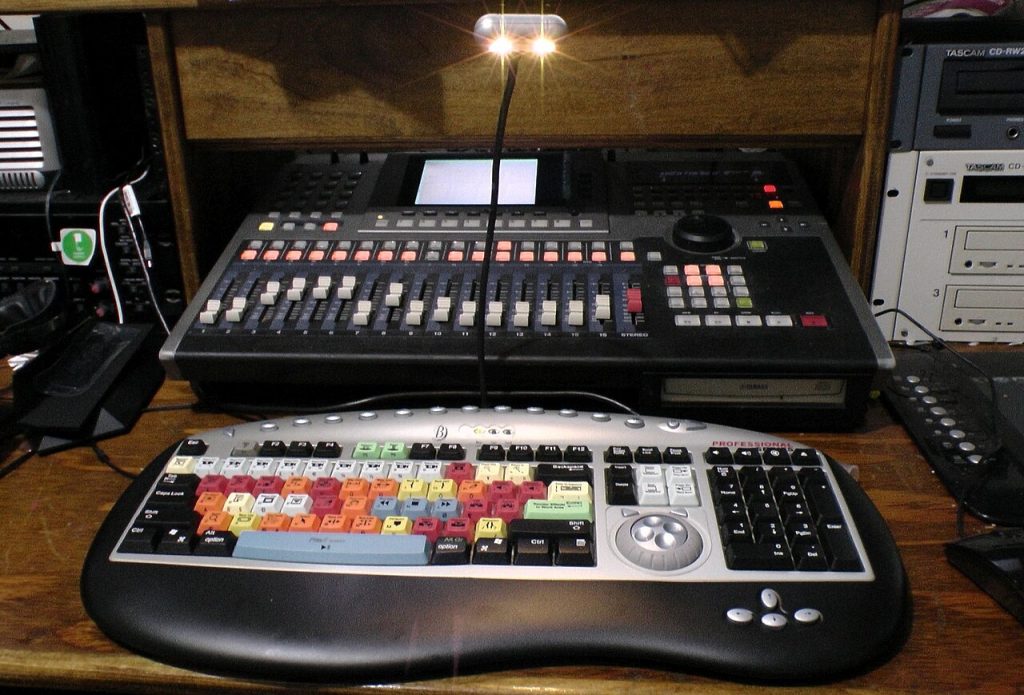
Image: “Video editing color keyboard with Yamaha AW4416 Recording Workstation” via Wikimedia Commons, CC0.

Written by
The Templates Hub editorial team writes practical, plain-English guides for everyday readers.
More articles by this author →
Meme Templates: Where to Find Them and How to Caption Well
A meme only works when the picture and the caption click in the same second. That is why…
Social Media Templates: Build a Consistent Content Look
Posting regularly is hard enough without redesigning every image. Social media templates solve this by giving each post…

Live Photo Templates for TikTok: How to Use Them
Live photo templates for TikTok let you turn the short moving pictures from your iPhone into a quick,…

Instagram Templates for Posts, Stories and Reels
Instagram templates are ready-made layouts for posts, carousels, stories and reel covers. They keep your feed visually consistent…